
Tenant setup 18 — Defender for Endpoint configuration

📘 Complete tenant-setup cookbook in one PDF This article is part of the series. Full series + screenshots in one document: download PDF . (PDF is currently in Czech.
This article is part of the series. Full series + screenshots in one document: download PDF. (PDF is currently in Czech.)
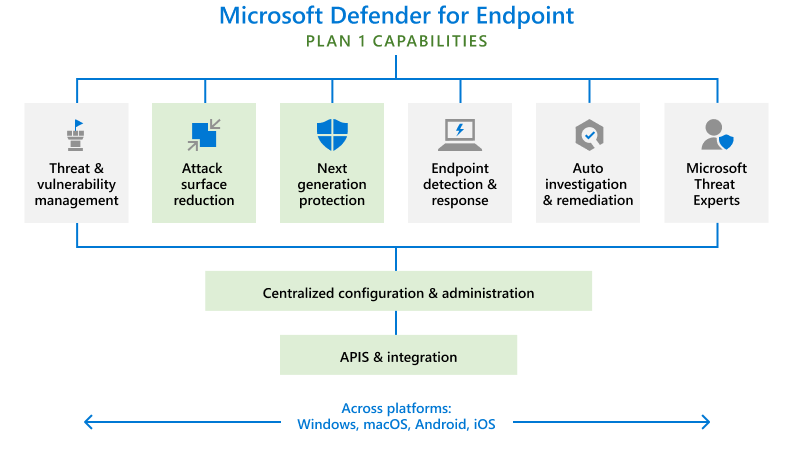
Last time we covered enrolling devices into Defender for Endpoint. Today we'll get the most out of the AV without it nagging users to death. There are a lot of settings, and most of them you can't comfortably live with on default — let's go.
Open Intune → Endpoint security → Antivirus → Create Policy. Platform Windows, profile Microsoft Defender Antivirus. Name it ("Less restrictive AV" or similar) and add a description.
Allow Archive Scanning — enables/disables AV scanning of archives like .ZIP and .CAB.
Allow Behavior Monitoring — enables/disables real-time behavior monitoring and blocking.
Allow Cloud Protection — sends/withholds findings to Microsoft.
Allow Email Scanning — enables/disables email scanning.
Allow Full Scan On Mapped Network Drives — enables/disables scanning of NAS shares.
Allow scanning of all downloaded files and attachments — enables/disables.
Allow Realtime Monitoring — enables/disables real-time threat monitoring.
Allow Scanning Network Files — enables/disables scanning of files reached over the network. Recommended on; for us it caused noise so we left off.
Allow Script Scanning — enables/disables script scanning.
Allow User UI Access — enables/disables the local Defender UI.
Avg CPU Load Factor — average CPU utilization during scans. Older HW: 20% max. Newer: 30–40%.
Cloud Block Level — how aggressive the cloud-side blocker is.
Disable Catchup Full/Quick Scan — re-run a missed scan.
Enable Low CPU Priority — low priority for scheduled scans.
Enable Network Protection — protects against phishing/malware sites. Goal: get from Audit to Block; the journey there is long.
Because there's a lot here and most of it has real impact, I'm splitting this into two parts. Next time: PUA + Threat Severity Default Action. Stay safe!